
Write down how the device is deployed and every way data, code and commands enter or leave it. This covers network ports and protocols, shared folders, removable media, service access and the path an update takes from the build server to the installed site. Each system item and connection gets an ID, a direction, a protocol, and its authentication and authorization, so the threat model, the architecture views and the eSTAR interoperability answers all draw from one inventory.
On the map: Connectivity and deployment. Describe every interface, data flow and update path.
Rows are disciplines, columns are stages 1 to 8. Select a square to open that task.
Back to the full map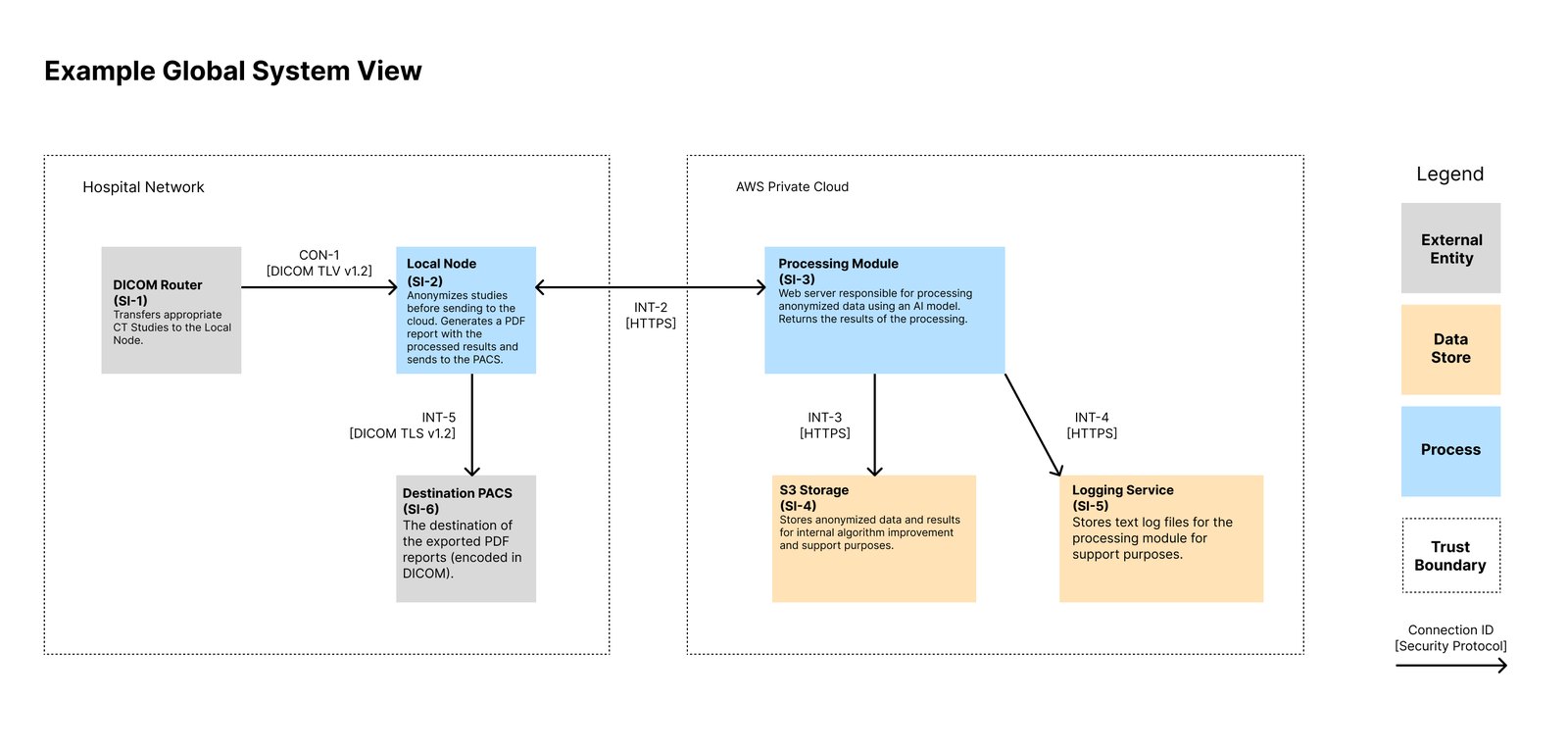
Map interfaces from engineering's deployment design and confirm with regulatory which ones sit inside the device boundary. Every interface in scope becomes a threat model row and a test.
FDA looks past the device boundary to the functions and systems it connects to. Hospital assets such as the DICOM router, PACS and host OS go in as external entities with a named owner, and the controls the hospital owns are stated in labeling.
In the cloud the manufacturer usually patches and documents the provider's shared-responsibility model. On premise, hospital IT controls the host OS, network, certificates and update timing, so customer responsibilities and labeling carry more of the load.
Every input path is an attack surface to describe, threat-model and test. Keep only the paths the clinical workflow needs, remove the rest, and make every document agree on which ones exist. A port mentioned in one document and denied in another invites a deficiency.
Draw the update path as a sequence: build, sign or hash, distribute, install, verify. A manual update by support staff is acceptable when the steps, owners and timelines are written down.
See the open positions and apply.